For readers, language learners, and students

Scan a page. Save words. Remember them longer.

Ousia helps you move from reading to retention: capture text, tap a word, save its meaning, then practice with focused Study and Test sessions.

  • Camera OCR + manual word lookup
  • Dictionary and translation modes
  • Study + Test sessions for recall

Why Ousia

Most vocabulary apps start with word lists. Ousia starts with what you read.

Capture words in real context

Scan directly from a page, select the exact word, and keep context close to the definition.

Understand faster

Switch between dictionary and translation modes based on how you learn best.

Remember for the long run

Use Study and Test sessions to turn one-time lookups into lasting recall.

Who it’s for

Designed for real reading habits, from casual learners to study-heavy users.

Readers

Perfect if you often hit unfamiliar words in books and want fast, in-context understanding.

Language learners

Use dictionary mode for depth or translation mode for speed while building active vocabulary.

Self-directed learners

Capture, organize, and practice words in one loop instead of scattered notes and apps.

Students and exam prep

Turn reading-heavy coursework into repeated recall sessions that support long-term retention.

Bilingual professionals

Keep a searchable vocabulary system for words you encounter across languages in daily work.

Teachers and coaches

Recommend a practical workflow learners can use outside class to keep vocabulary active.

Features

Everything from first lookup to long-term recall, in one app.

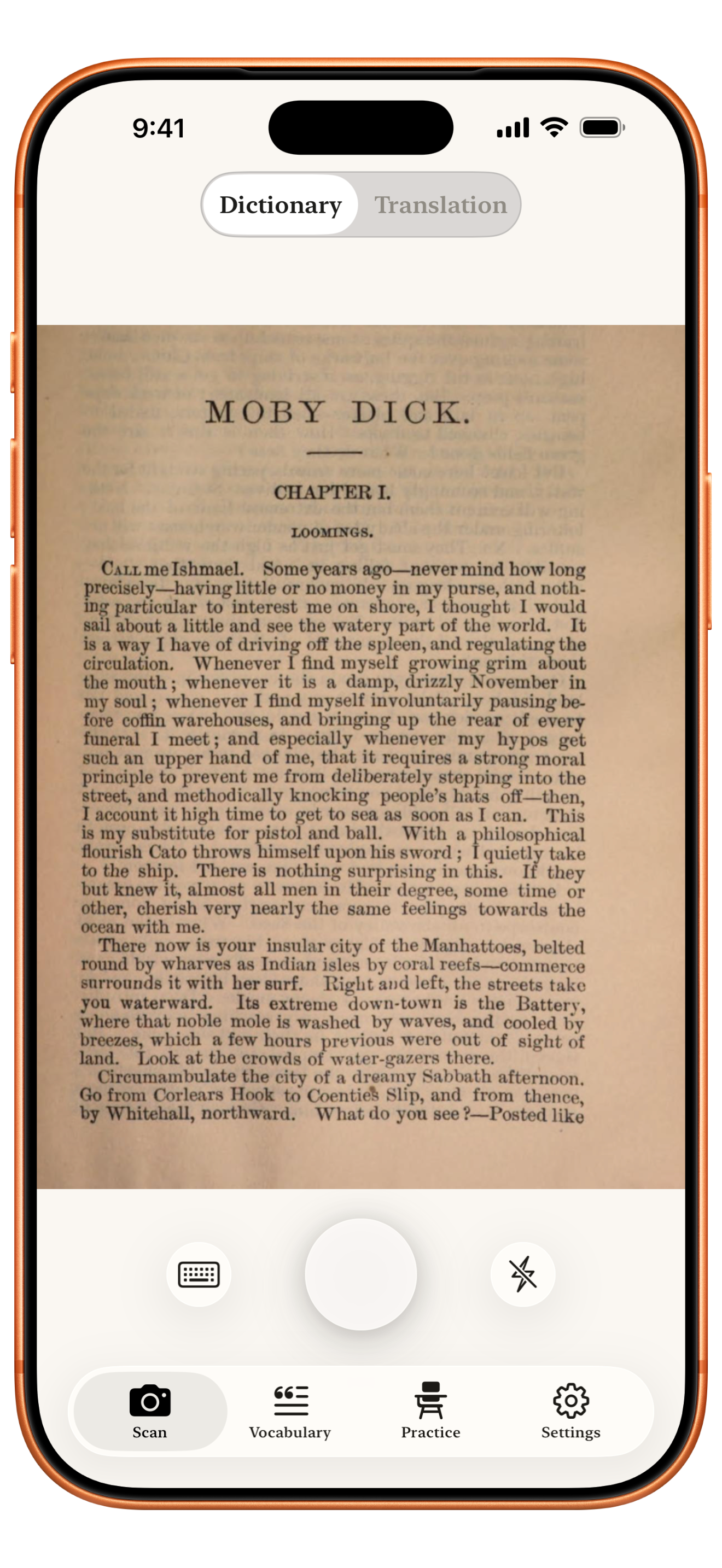
Book page OCR

Point your camera at text and capture words without retyping.

Tap-to-lookup definitions

Tap a word from scanned text, look it up, and save it instantly.

Dictionary + translation modes

Stay in-source language or translate definitions into your selected target language.

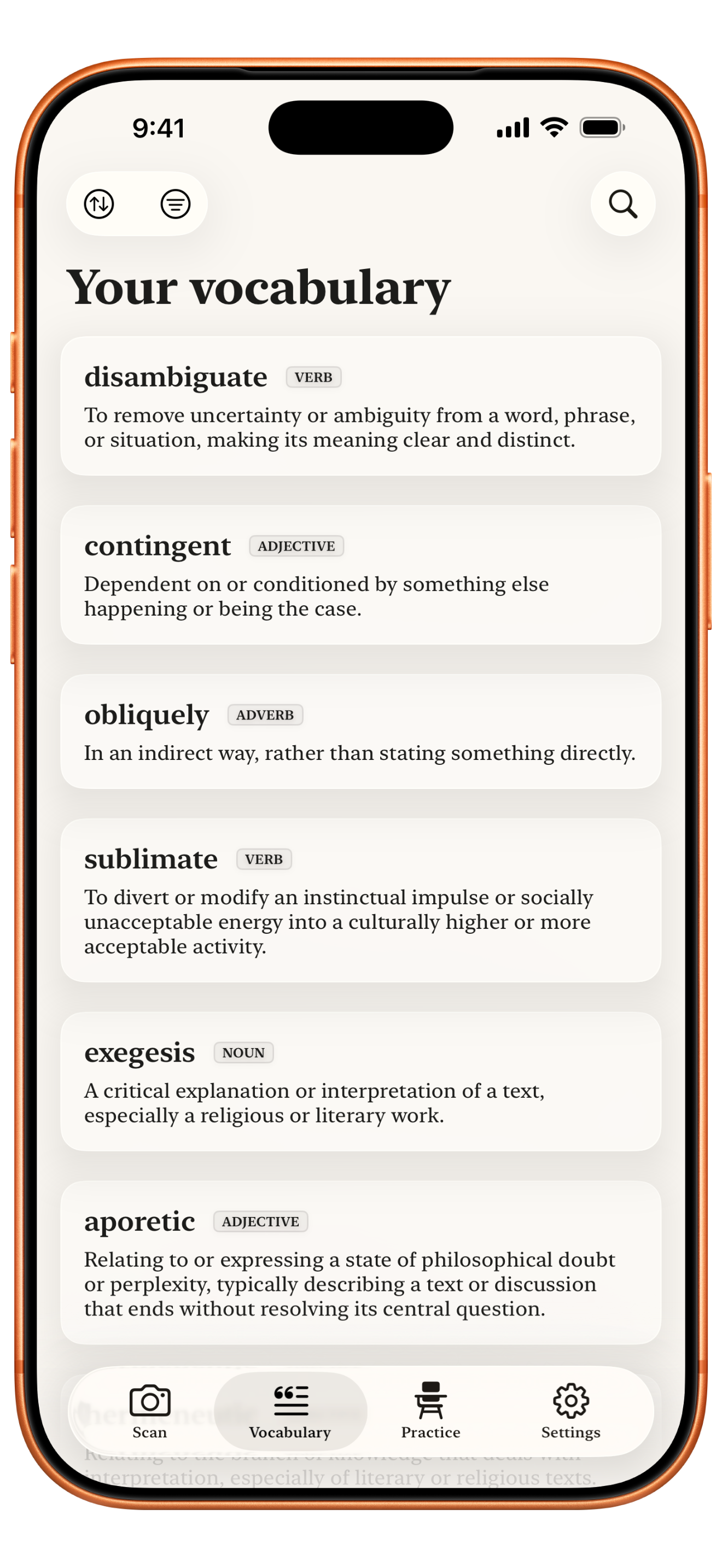
Searchable vocabulary library

Keep saved words organized with search, filters, and sorting.

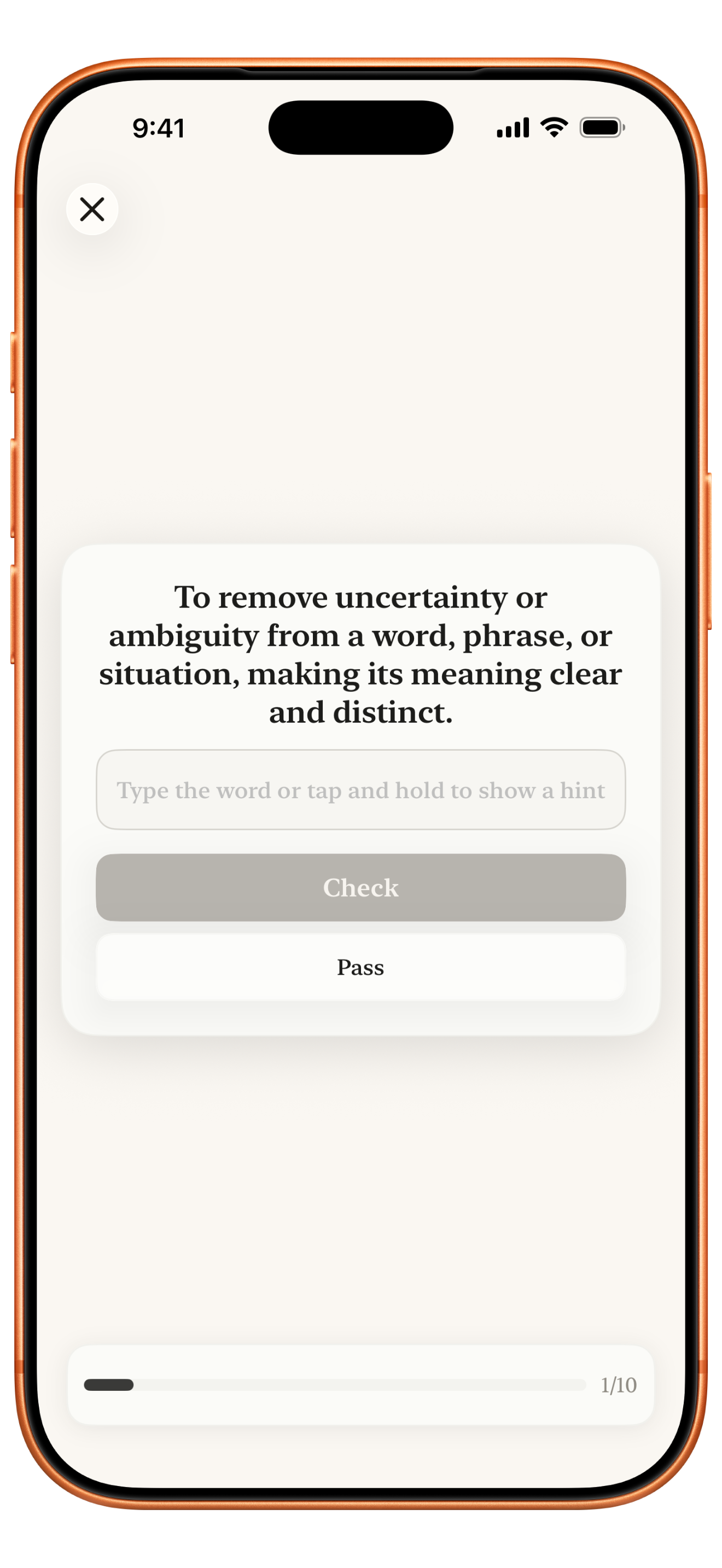
Study and Test sessions

Train both recognition and active recall with dedicated practice flows.

Sync and portability

Sync with iCloud when available and export your vocabulary from settings anytime.

How it works

From page to memory in three simple steps.

1

Scan

Capture book text and tap the word you want to keep.

Scan feature screenshot
2

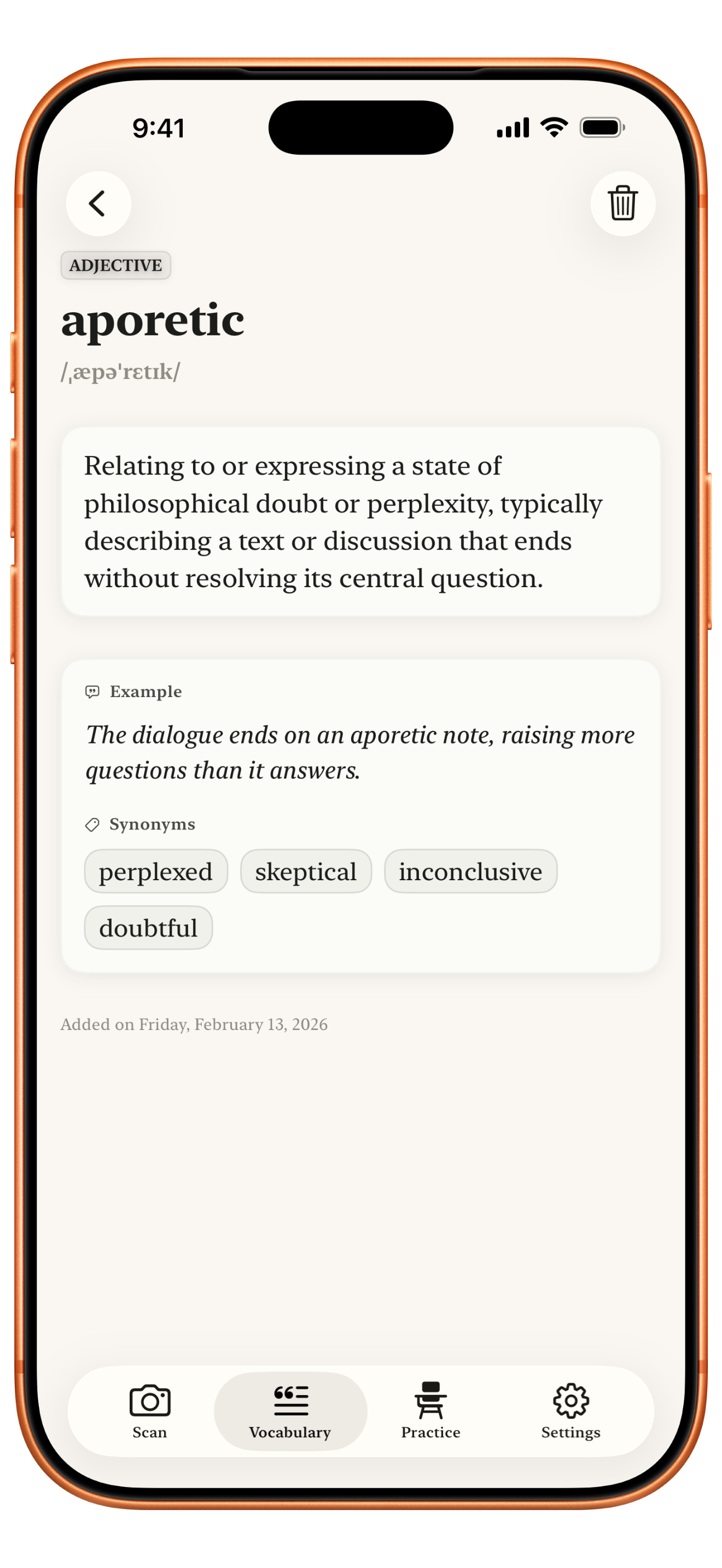
Understand

Save definitions in dictionary mode or translation mode.

Definition feature screenshot
3

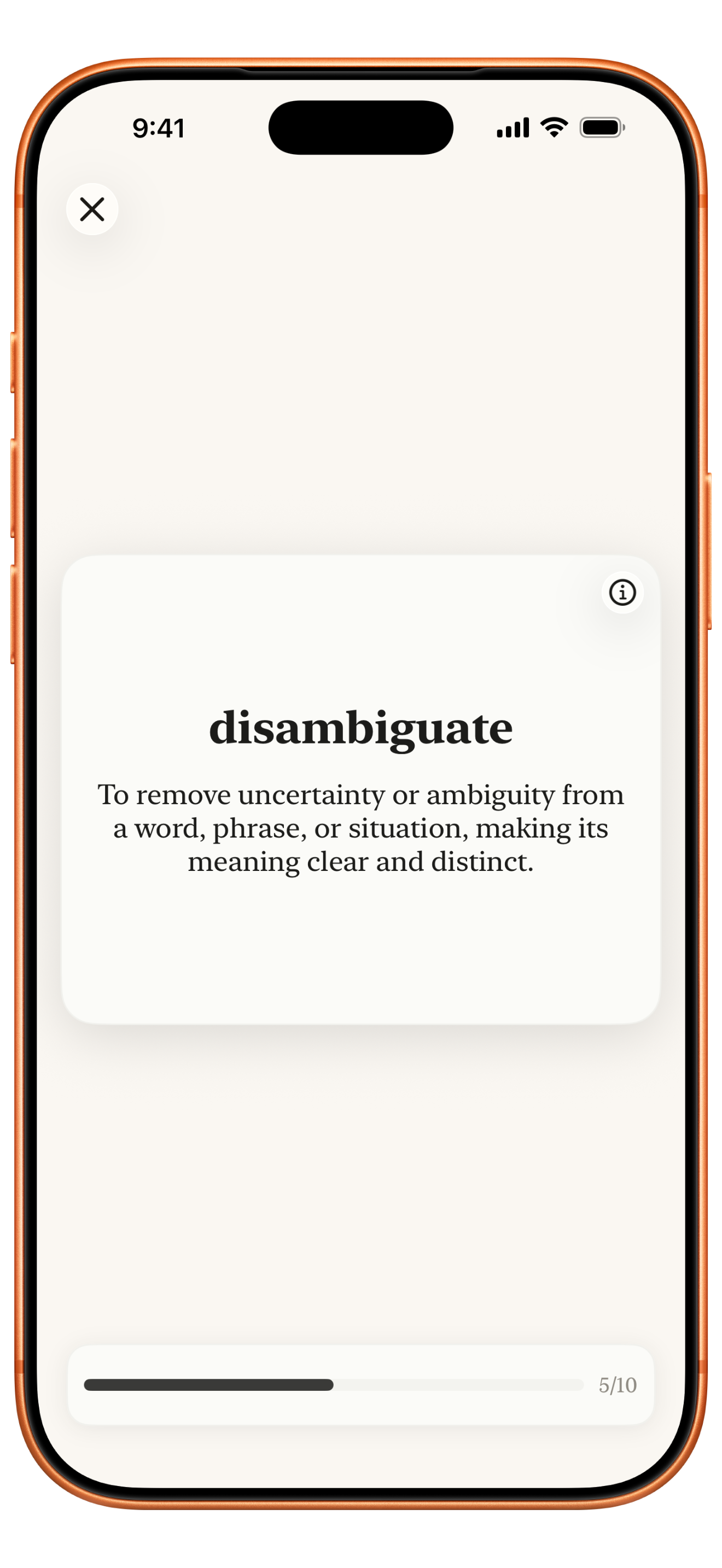
Retain

Review in Study and Test sessions to strengthen recall.

Practice feature screenshot

Practice modes

Two modes, one goal: durable recall.

Ousia Study Mode screenshot

Study Mode

Build confidence first with guided review before high-friction recall.

  • Reveal definitions clearly
  • Reinforce meaning and context
  • Build momentum word by word
Ousia Test Mode screenshot

Test Mode

Challenge memory with active recall and quickly spot weak words.

  • Definition-to-word recall
  • Fast feedback on accuracy
  • Sharpen long-term retention

Vocabulary library

A vocabulary library you can actually use.

Every saved word lands in one clean, searchable library, so you can review what matters instead of losing vocabulary across scattered notes.

  • See all saved words in one dedicated list
  • Filter by language and sort instantly as your library grows
  • Jump from list to Study or Test in seconds
Ousia vocabulary list screenshot

Built for trust

No tracking. Your vocabulary stays portable.

Ousia supports iCloud sync when available and lets you export your vocabulary from settings at any time.

Start with one page today.

Scan, save, and practice words from your real reading flow.

Download on the App Store